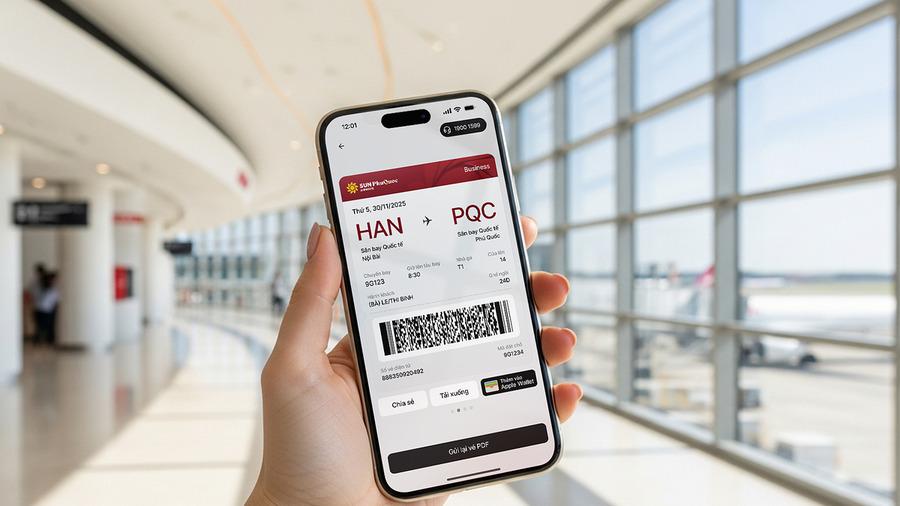

Many passengers wonder what an electronic ticket (e-ticket) is and how it works. Instead of carrying a physical ticket, passengers simply need to receive a booking reference via email or phone number to complete the check-in process quickly and conveniently.
Electronic tickets help passengers streamline the check-in process, making their journey more comfortable.
1. What is an electronic ticket?
According to Decision 18/2007/QĐ-BTC of the Ministry of Finance regarding the printing, issuance, use, and management of electronic flight tickets, an electronic ticket is a set of data created, stored, and processed on a computer system in accordance with the common standards for information and formatting of the International Air Transport Association (IATA). All basic flight information will be provided to passengers in the form of an "Itinerary/Receipt," which can be printed or sent directly via electronic means. (1)
2. How is the process of creating an electronic ticket carried out?
The creation (generation) of an electronic ticket follows this process: the passenger selects the service, and the airline staff updates the information and issues the e-ticket. Specifically: (1)
Passenger selects service: The passenger selects the service (flight schedule, seat class, etc.), price, and makes the booking.
Airline staff updates information: Ticketing staff at the office or agency will update the customer's information into the ticketing system. This information is regulated the same way as paper tickets and follows the common standards of the International Air Transport Association.
Airline staff issues the e-ticket: After checking and confirming the information, the ticketing staff will issue the ticket. The issued e-ticket must comply with the following principles:
Only one unique e-ticket (serial number) is created.
All ticket information is stored and accessible in the e-ticket system or the airline's storage system.
Once created, the e-ticket cannot be altered.
Although it cannot be altered, the ticket can be cancelled within the time limit stipulated by the airline, performed by the creator or at the customer's request.
Upon cancellation, the information for that ticket number remains stored in the system and is updated to "cancelled" status.
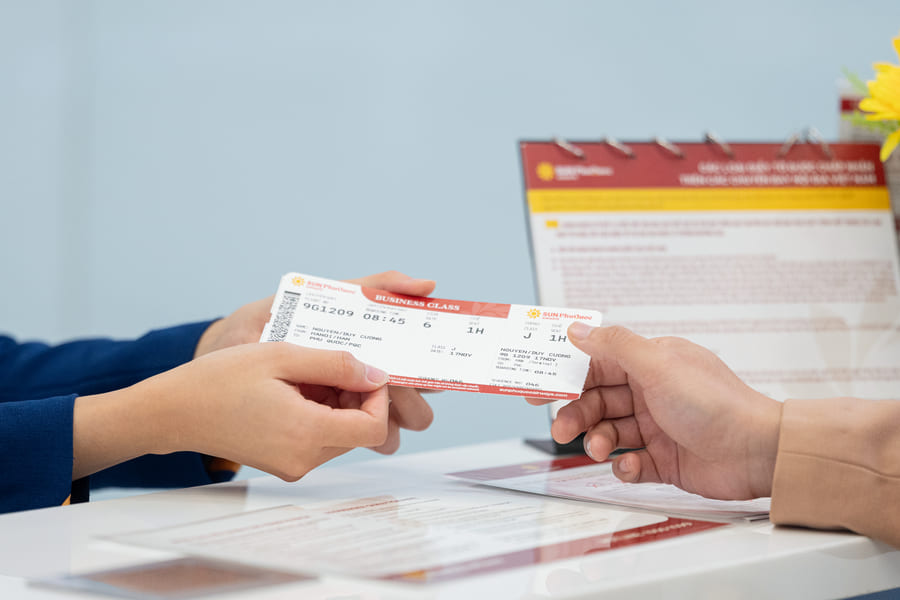
Passengers can go directly to an agency or ticketing office to create and print an electronic ticket if needed.
3. How to print (issue) an electronic ticket? Guide to retrieving an e-ticket
Passengers can print their e-tickets themselves or ask ticketing office/agency staff to print them. Below are the most common ways to retrieve an e-ticket: (1)
If purchasing online (via website/app): The e-ticket data will be sent to the passenger in compliance with the Law on Electronic Transactions and the Accounting Law. Once this data is received, passengers can freely print the ticket for use.
If purchasing directly at the counter: The airline or ticket agencies will print the ticket directly from the computer system in the "Itinerary/Receipt" format. This itinerary is then handed to the customer along with the transport payment receipt.

Passengers can visit their nearest Sun PhuQuoc Airways office/agency for assistance in printing (issuing) an electronic ticket.
4. Guide to check-in using an electronic ticket
To check in with an e-ticket, passengers use the Booking Reference (PNR) displayed on the ticket. Passengers can proactively check in online before the flight via the airline's website/mobile app. If you have checked baggage or prefer to check in directly at the airport, simply present the PNR code on your phone or your ID documents (ID Card/Passport) to staff at the check-in counter for quick assistance. Below are instructions on how to use a Sun PhuQuoc Airways electronic ticket that passengers can refer to:
4.1 Using an e-ticket for check-in on the mobile app
When checking in with an e-ticket on the Sun PhuQuoc Airways mobile app, passengers maximize time savings at security gates thanks to the "Biometric Link" feature. This online check-in is available from 24 hours to 1 hour before the scheduled departure time.
Step 1: Open the Sun PhuQuoc Airways app, enter the Booking Reference (PNR) and the customer's last name (exactly as it appears on the ticket) to look up and complete the online check-in steps.
Step 2: After completing the check-in, select the "Biometric Link" feature. Enter your ID card number, consent to share data (the system will switch to VNeID), and proceed to scan for facial verification. The electronic boarding pass will then display the text "Biometric Linked."
Step 3: At security gates and boarding gates, passengers simply scan their face to board the aircraft quickly without needing to present a ticket in the traditional way.
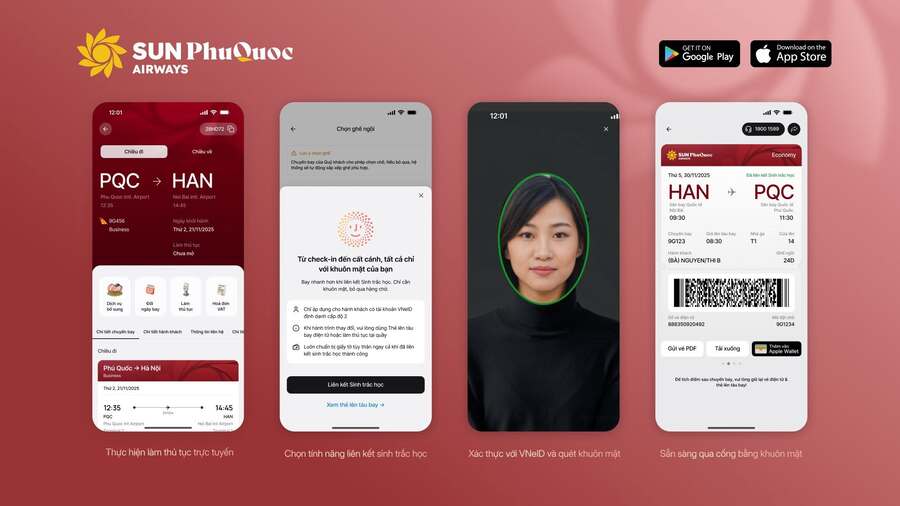
Check-in on the Sun PhuQuoc Airways app helps passengers save time at security gates.
4.2 Using an e-ticket for check-in on the website
In addition to using the mobile app, passengers can also proactively check in online directly on the Sun PhuQuoc Airways website to save time before departure:
Step 1: Visit the Sun PhuQuoc Airways website and enter the Booking Reference along with the passenger's last name.
Step 2: Similar to the app, check-in on the website must be completed from 24 hours to 1 hour before departure, and it is mandatory to enter the name exactly as it appears on the ticket information.
4.3 Using an e-ticket for check-in directly at the counter
For passengers with checked baggage or those desiring direct assistance from ground staff, you can complete the check-in process at the Sun PhuQuoc Airways counter at the airport by following these steps:
Step 1: When arriving at the airport, monitor the digital boards at the terminal to locate the correct check-in counter area for Sun PhuQuoc Airways.
Step 2: At the counter, provide the Booking Reference (or flight ticket) along with valid ID documents for yourself and everyone traveling with you to the ground staff.
Step 3: Receive your boarding pass and proceed to the security area.

For a quick check-in at the counter, passengers can flexibly use a printout of the electronic ticket or simply display it on their mobile device.
5. Frequently Asked Questions
5.1 Is it necessary to print the e-ticket?
Passengers are not required to print the electronic ticket. All flight information is stored on the airline's system. Passengers only need to use the Booking Reference (PNR) and ID documents (ID Card/Passport) to check in at the airport or use online check-in methods (via website/app) without needing to carry a paper copy.
5.2 What should I do if I do not receive the e-ticket via email?
If after 01 hour from successful payment you have not received the e-ticket via email (after checking both your inbox and junk/spam folders), Sun PhuQuoc Airways passengers should visit the "Manage Booking" section on the Sun PhuQuoc Airways website/app, enter the Booking Reference and Last Name to look up and download the ticket, or contact the hotline 1900 1599 directly for the fastest support in resending the ticket.
5.3 What to do if I accidentally delete the e-ticket?
If you accidentally delete the e-ticket, you can check the "Trash" folder in your email to recover it or visit "Manage Booking" on the Sun PhuQuoc Airways website/app and enter the Booking Reference (PNR) and Last Name to re-download it. If you do not remember the PNR code, please contact our customer service hotline at 1900 1599 and provide your personal information (Full Name, ID Card/Passport, flight date) so that Sun PhuQuoc Airways staff can assist in finding and resending the ticket.
5.4 What if the information on the e-ticket is incorrect (wrong name, wrong flight date, etc.)?
If you detect any discrepancies in the information, contact the hotline 1900 1599 or an official Sun PhuQuoc Airways ticket office as soon as possible for instructions on how to make corrections.
5.5 How to issue a VAT invoice for an e-ticket?
To issue a VAT invoice, passengers need to register individual information for each Booking Reference (PNR) in the VAT Invoice Request section. For flight tickets and ancillary services, passengers must register within 72 hours of successful payment (the invoice will be issued within the next 05 days); for insurance services, you must declare the information immediately after purchase for the insurance company to issue the invoice directly. The system does not accept late requests.
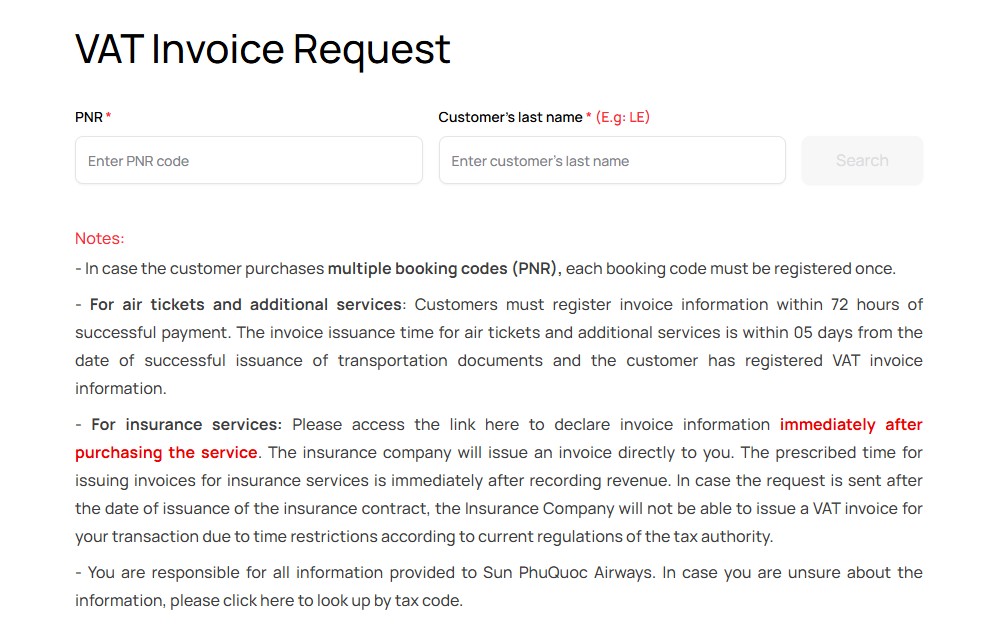
Sun PhuQuoc Airways supports the issuance of VAT invoices for passengers who require them.
The electronic ticket is an essential technological solution in modern aviation, helping to minimize the preparation process for each trip. Storing data online not only reduces the risk of losing documents but also helps passengers optimize check-in time, moving toward faster and more efficient travel experiences.
References
VCCI. Decision 18/2007/QĐ-BTC of the Ministry of Finance regarding the printing, issuance, use, and management of electronic flight tickets. https://vcci.com.vn/legal-document/quyet-dinh-182007qd-btc-cua-bo-tai-chinh-ve-viec-in-phat-hanh-su-dung-va-quan-ly-ve-may-bay-dien-tu (Last accessed June 26, 2026)